
Step 1 - Permissions
1
Most importantly, run /config.
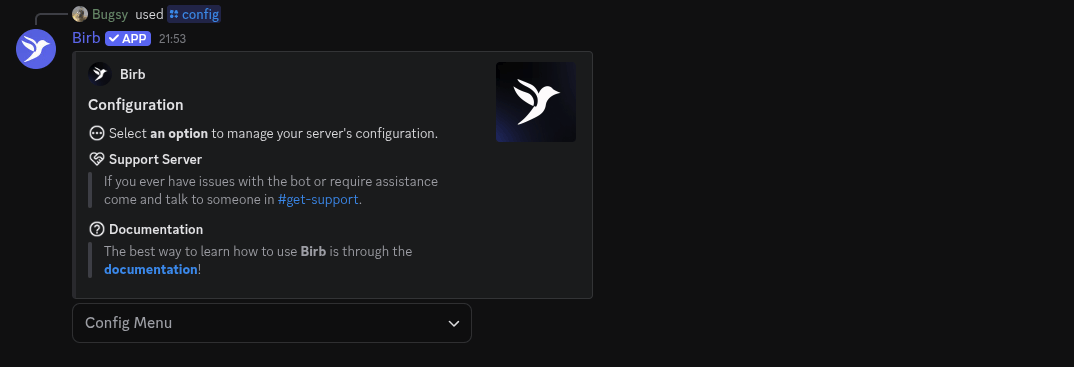
2
Config Menu & Click on permissions.
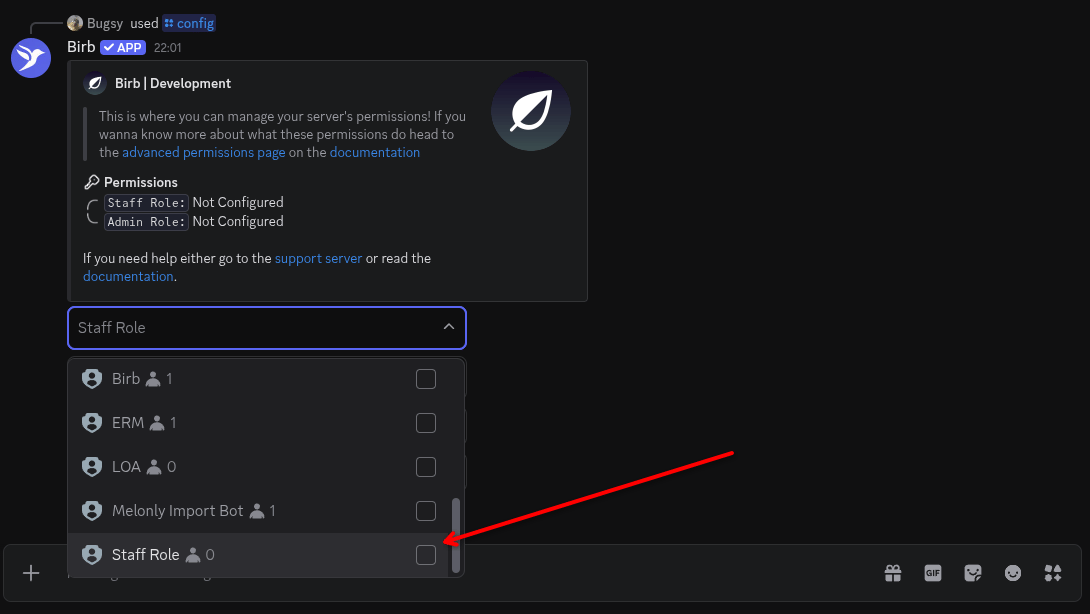
3
Select the staff role & admin role.
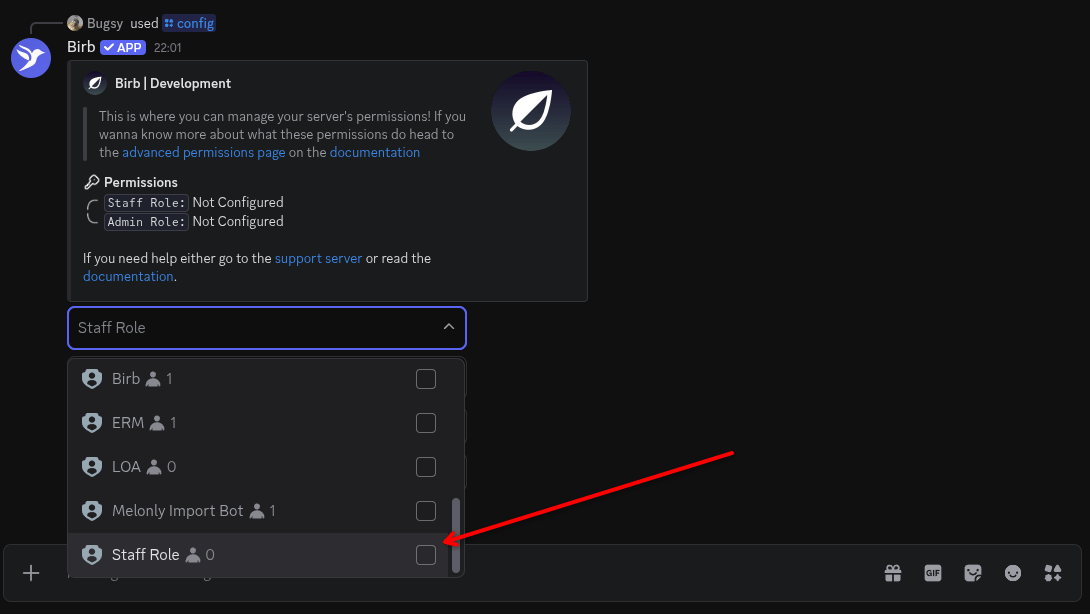
4
Finish
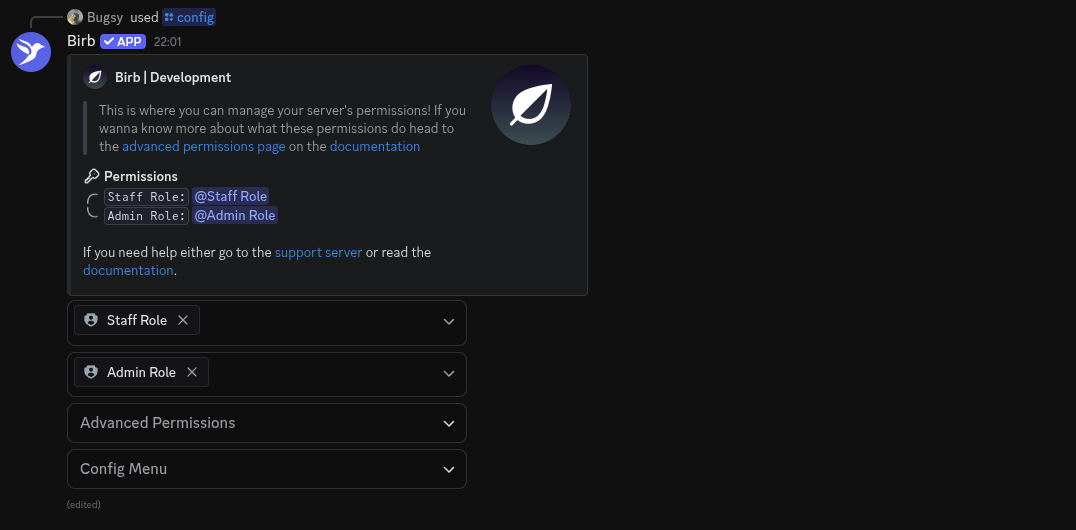
Step 2 - Modules
1
Most importantly, run the configuration command /config.
2
Config Menu & Click on Modules
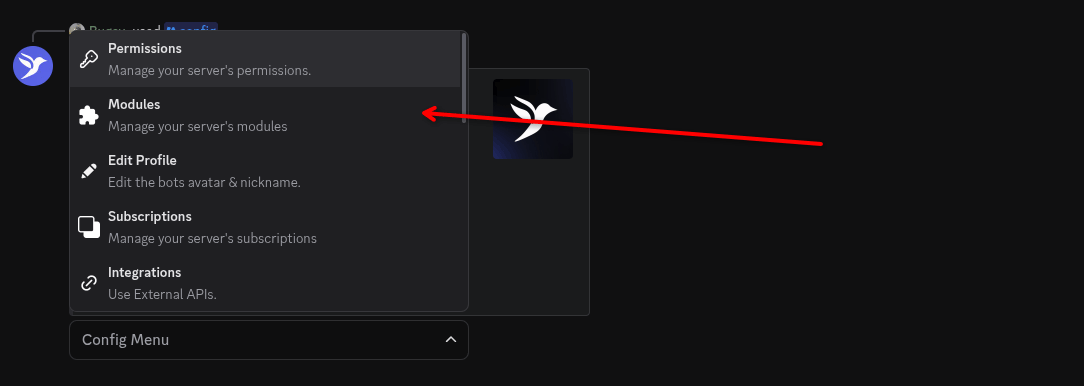
3
Selecting the modules
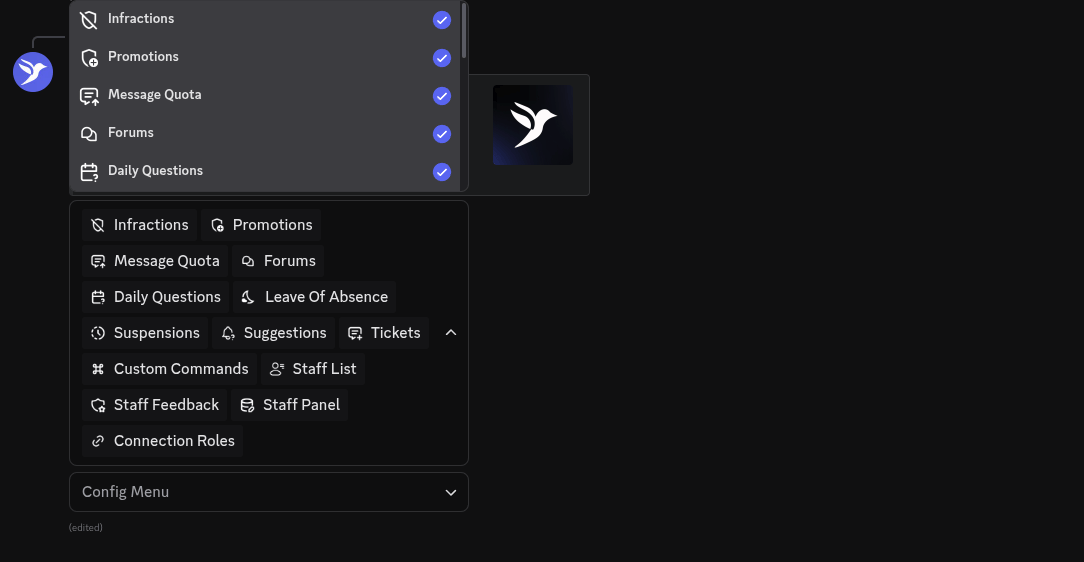
4
Click anywhere else.

Modules Saved popup.The module is now the module is enabled!Step 3 - The End
You’ve successfully set up the bot (hopefully), you can now click on other modules and set them up. Read specific setups for modules in the documentation.