
Setup Permissions
1
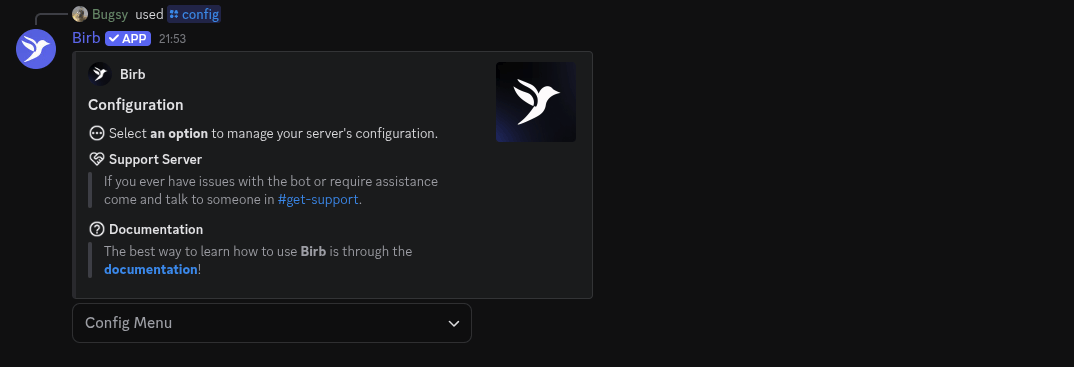
Most importantly, run /config.
2
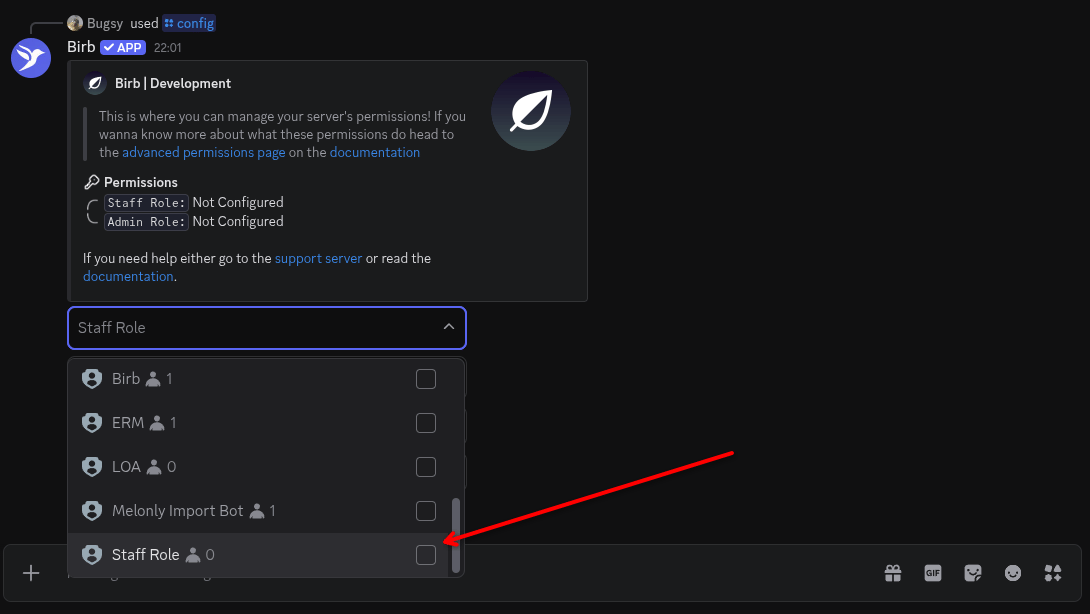
Config Menu & Click on permissions.
3
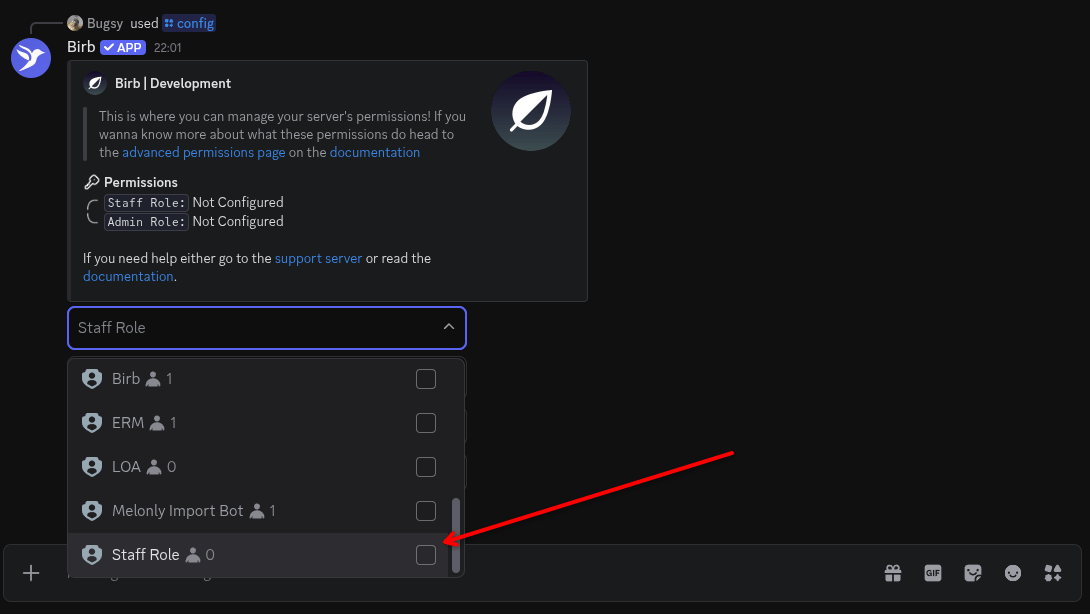
Select the staff role & admin role.
4
Finish
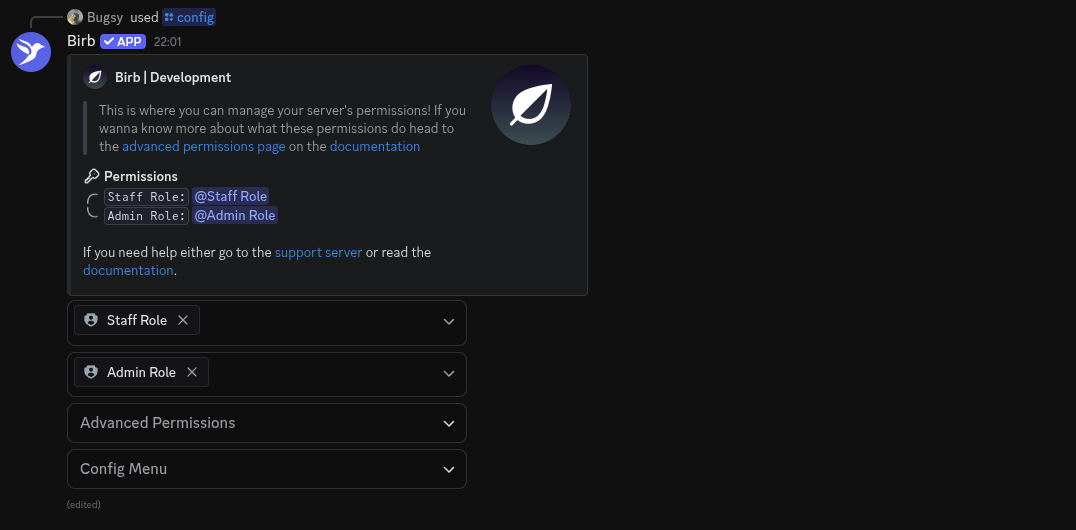
We have a permission system that relies on discord roles, it dictates what commands you can and cannot use.
Most importantly, run /config.
Config Menu & Click on permissions.
Select the staff role & admin role.
Finish