> ## Documentation Index
> Fetch the complete documentation index at: https://docs.astrobirb.dev/llms.txt
> Use this file to discover all available pages before exploring further.

# Infractions

Punish staff members using action workflows, Roblox integration and more.

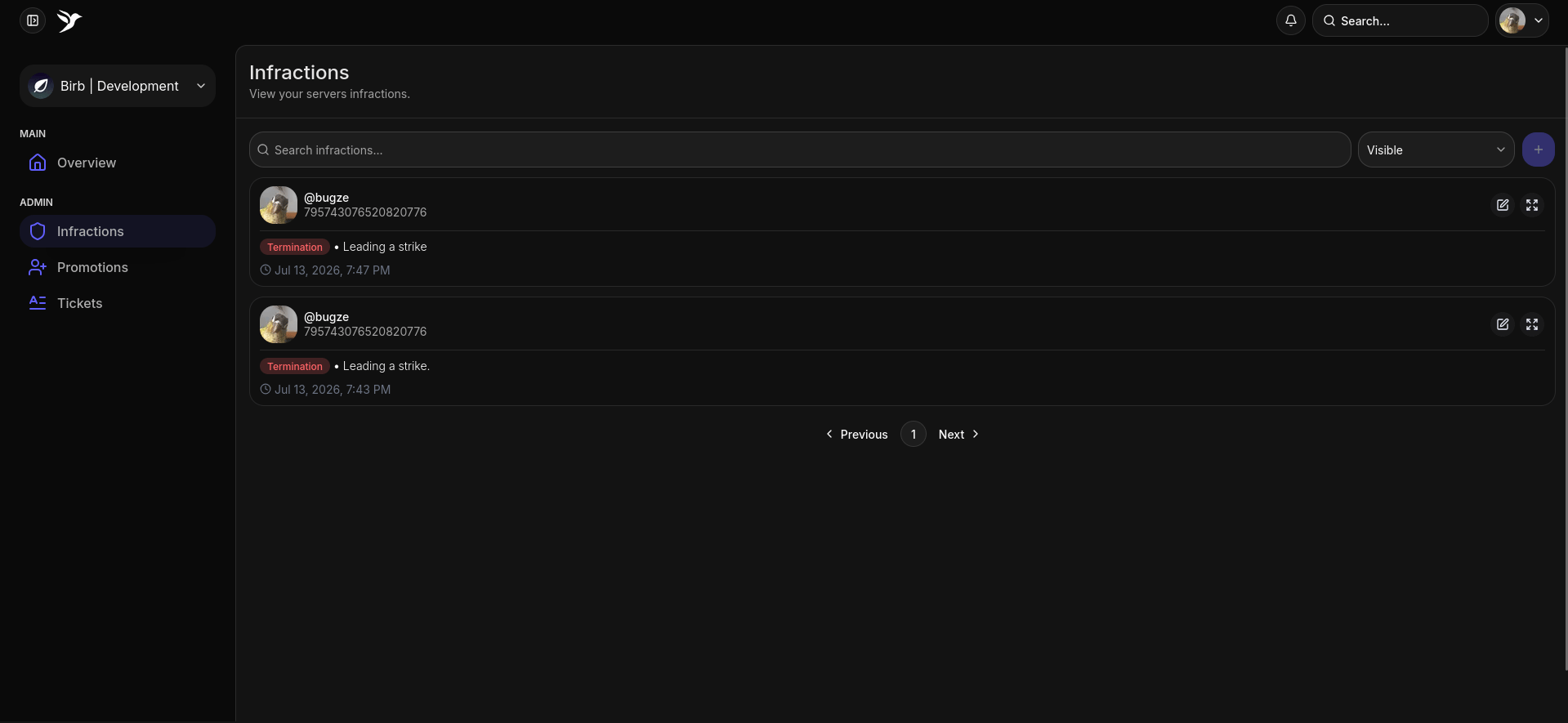
Infractions allow you to manage your staff members more efficiently, which also integrates well with other established modules such as *Quota* and *Staff Database*.

<Frame caption="Infractions Page">
  <img src="https://mintcdn.com/astrobirb/RShE7HTFinF9dD1j/images/image-8.png?fit=max&auto=format&n=RShE7HTFinF9dD1j&q=85&s=f2930c669624e47941a5fceb48a80e7d" alt="Image" width="1920" height="889" data-path="images/image-8.png" />
</Frame>

## How to void/delete an infraction

<Steps>
  <Step title="Infractions Page">
    <Frame>
      <img src="https://mintcdn.com/astrobirb/RShE7HTFinF9dD1j/images/image-10.png?fit=max&auto=format&n=RShE7HTFinF9dD1j&q=85&s=76170f5414e017dc143deb3bdaa30d73" alt="Image" width="1919" height="885" data-path="images/image-10.png" />
    </Frame>

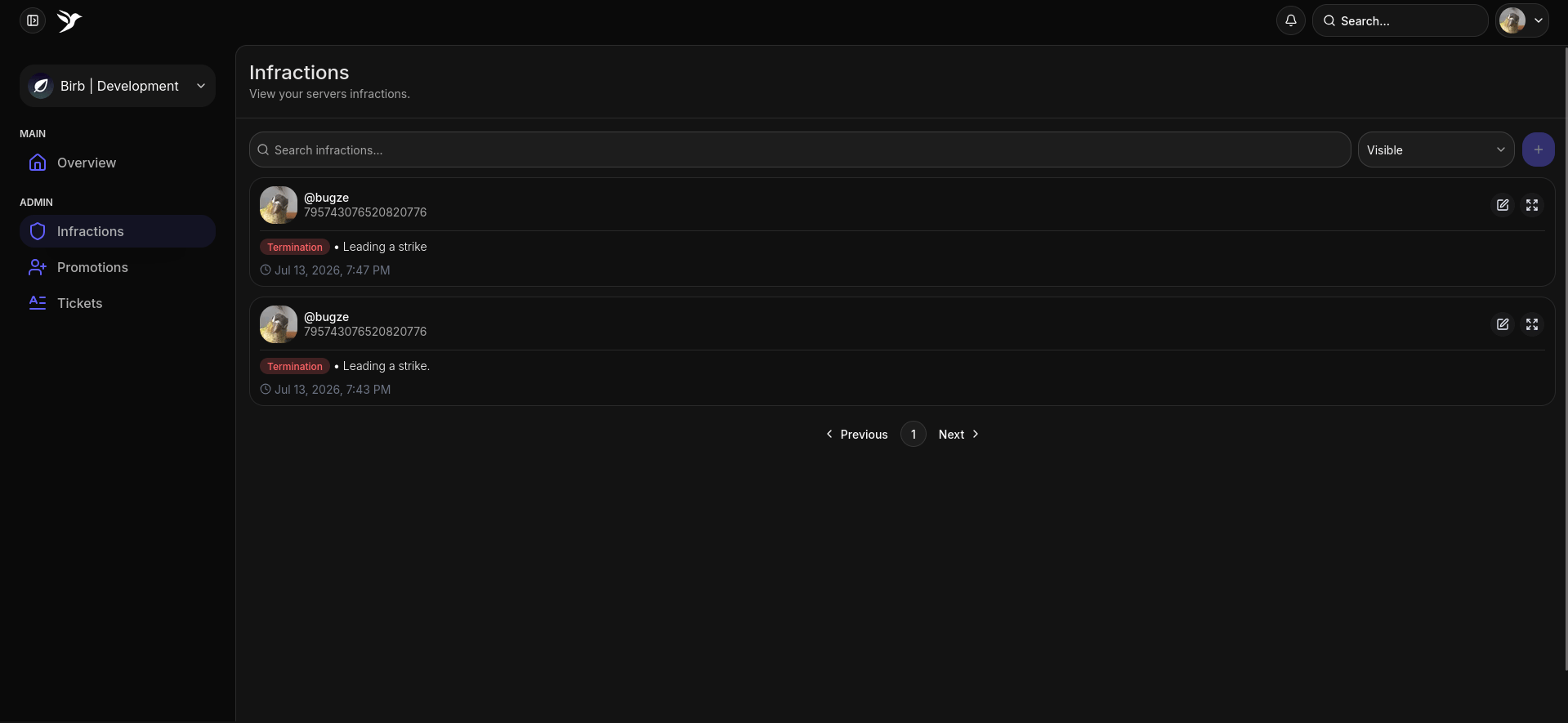
    On the infractions page, hover over an infraction you want to void, and click.
  </Step>

  <Step title="Voiding it">
    <Frame>
      <img src="https://mintcdn.com/astrobirb/RShE7HTFinF9dD1j/images/image-11.png?fit=max&auto=format&n=RShE7HTFinF9dD1j&q=85&s=0c5bee94807762b142b435bc7c5a0385" alt="Image" width="1920" height="888" data-path="images/image-11.png" />
    </Frame>

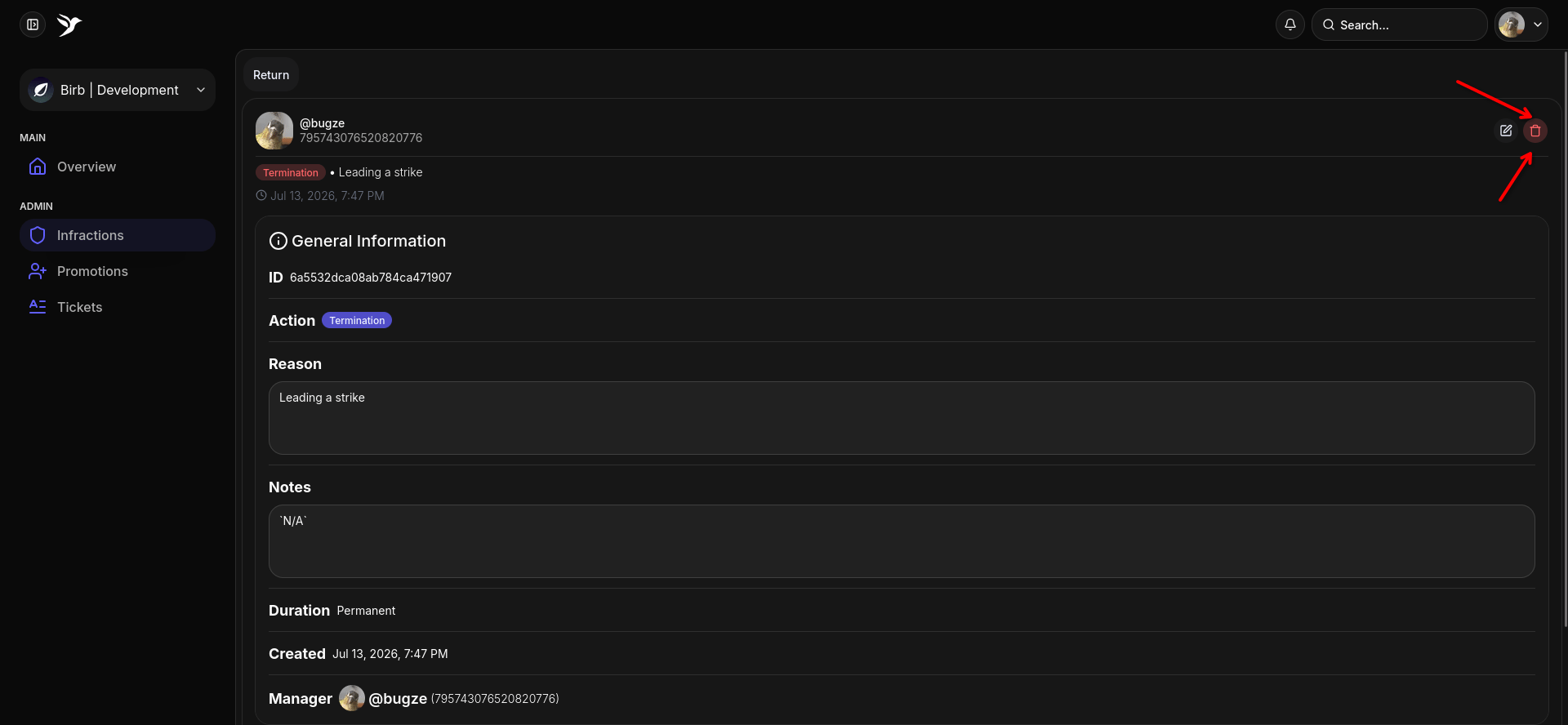
    Click the red button, it'll prompt you whether you want to void, say yes.
  </Step>
</Steps>

## How to edit an infraction

<Steps>
  <Step title="Infractions Page">
    <Frame>
      <img src="https://mintcdn.com/astrobirb/RShE7HTFinF9dD1j/images/image-13.png?fit=max&auto=format&n=RShE7HTFinF9dD1j&q=85&s=4a7127d375fb684fcef702f724c3f7d2" alt="Image" width="1919" height="885" data-path="images/image-13.png" />
    </Frame>

    On the infractions page, hover over an infraction you want to edit, and click.
  </Step>

  <Step title="Editing the infraction">
    <Frame>
      <img src="https://mintcdn.com/astrobirb/RShE7HTFinF9dD1j/images/image-15.png?fit=max&auto=format&n=RShE7HTFinF9dD1j&q=85&s=faa3bf48f78fe2872ac90c3fb8a5ac60" alt="Image" width="1920" height="889" data-path="images/image-15.png" />
    </Frame>

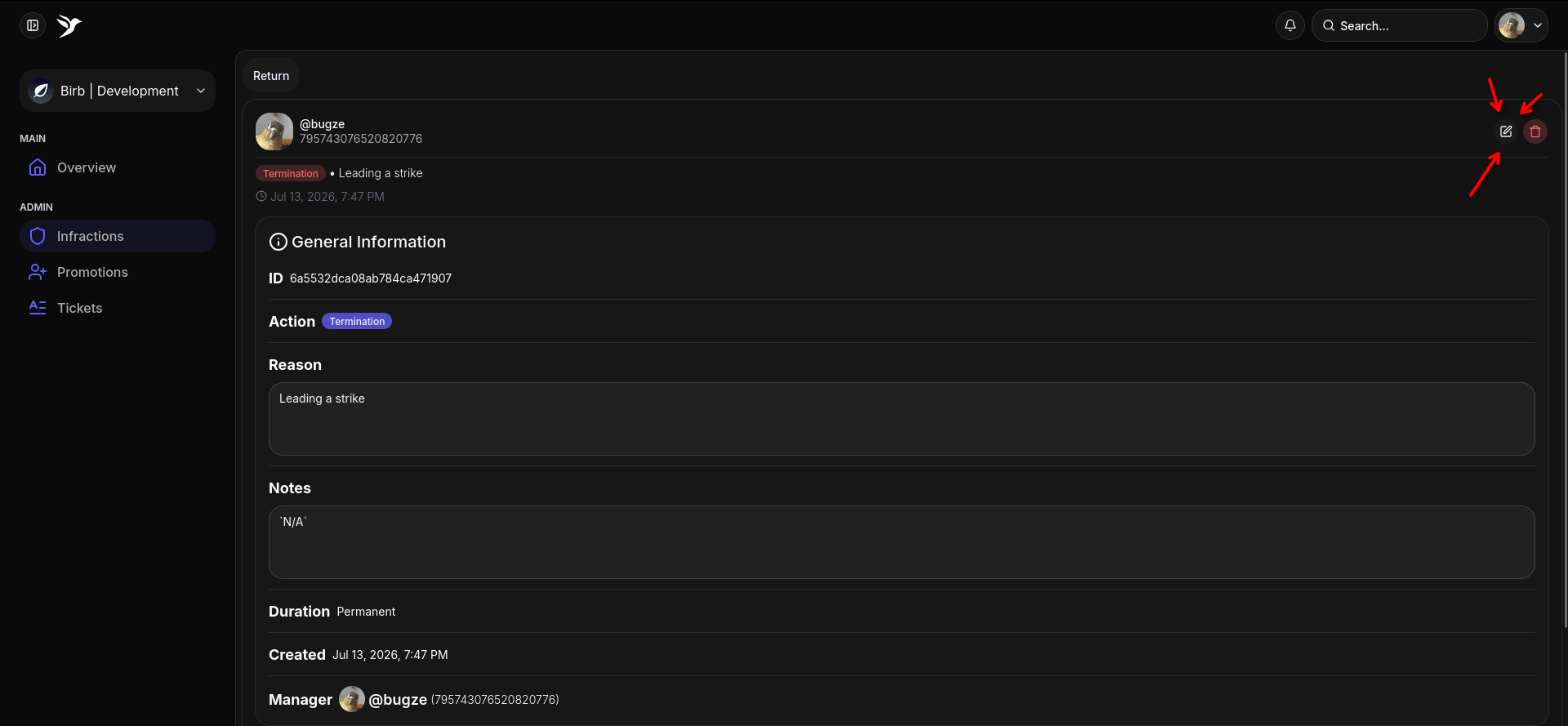
    Click the edit button, the button that is being pointed at with 3 arrows.
  </Step>

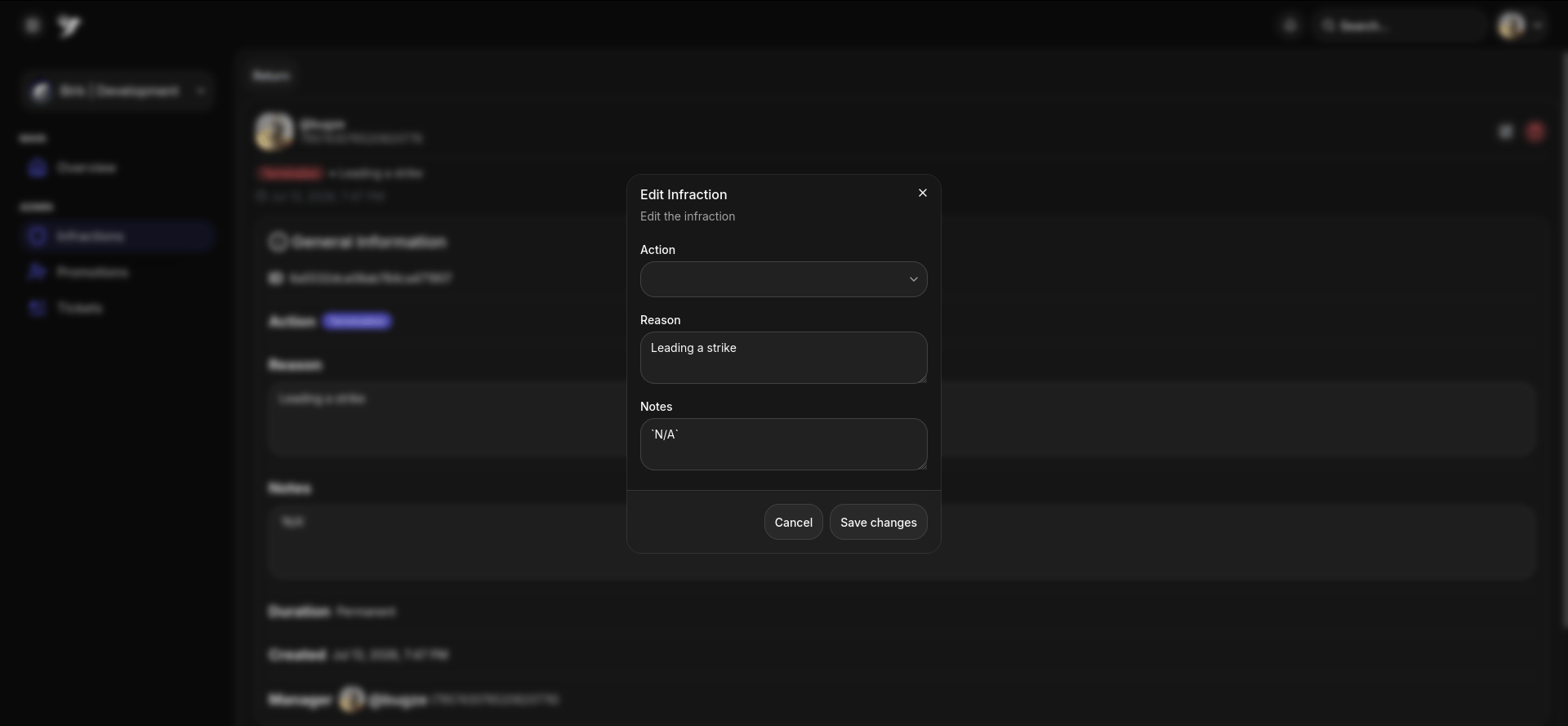
  <Step title="The Prompt">
    <Frame>
      <img src="https://mintcdn.com/astrobirb/RShE7HTFinF9dD1j/images/image-16.png?fit=max&auto=format&n=RShE7HTFinF9dD1j&q=85&s=437b8d7d2c1baecc0888e007a045721e" alt="Image" width="1920" height="889" data-path="images/image-16.png" />
    </Frame>

    Fill out the details that you want to change, and hit submit!
  </Step>
</Steps>