> ## Documentation Index
> Fetch the complete documentation index at: https://docs.astrobirb.dev/llms.txt
> Use this file to discover all available pages before exploring further.
# Infractions
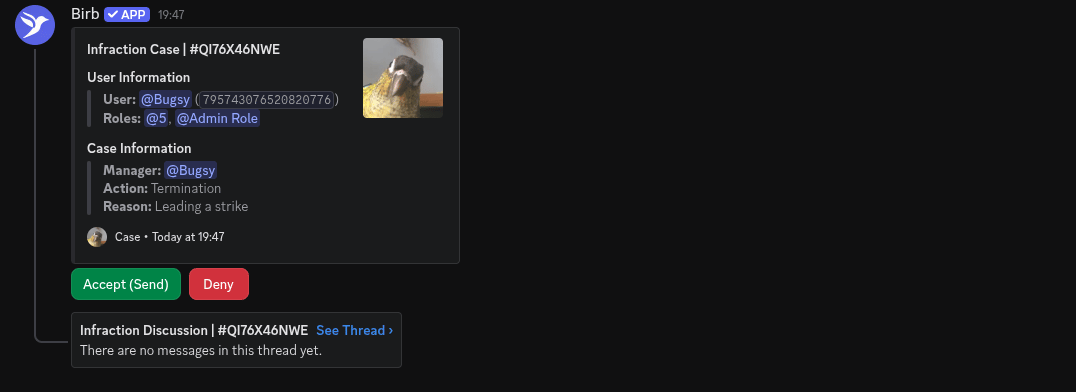
Punish staff members using action workflows, Roblox integration and more.
Infractions allow you to manage your staff members more efficiently, which also integrates well with other established modules such as *Quota* and *Staff Database*.
 ## How to setup
### Approval
## How to setup
### Approval
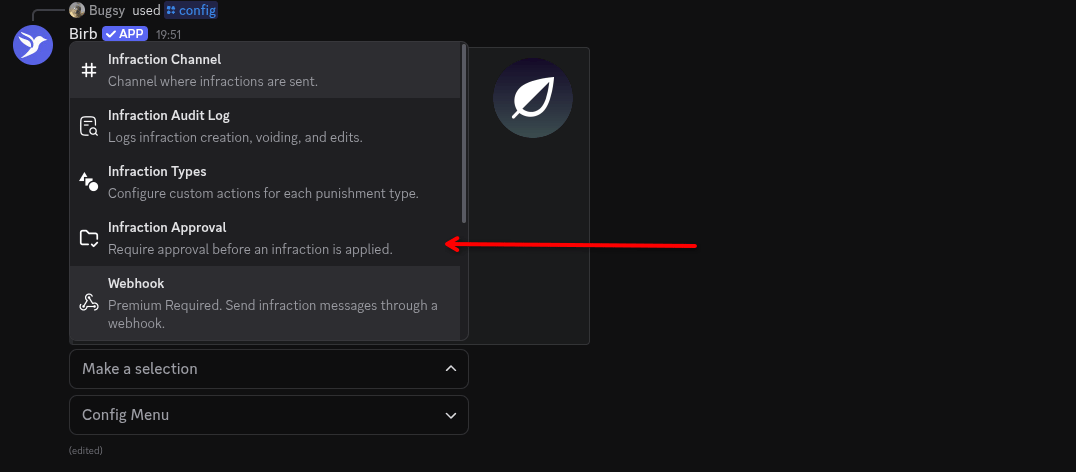 On the infractions settings page, press the \`infraction approval\` button, this will bring up a menu.
 On the approval settings, select a channel *(required)*, and if you want select a Approval Ping *(optional)* use the Approval Ping drop-down.
* Channel: This is the channel the approval message with be sent to.
* Approval Ping: People with this role will be pinged, with the message sent to the channel.
On the approval settings, select a channel *(required)*, and if you want select a Approval Ping *(optional)* use the Approval Ping drop-down.
* Channel: This is the channel the approval message with be sent to.
* Approval Ping: People with this role will be pinged, with the message sent to the channel.
### Actions & Types
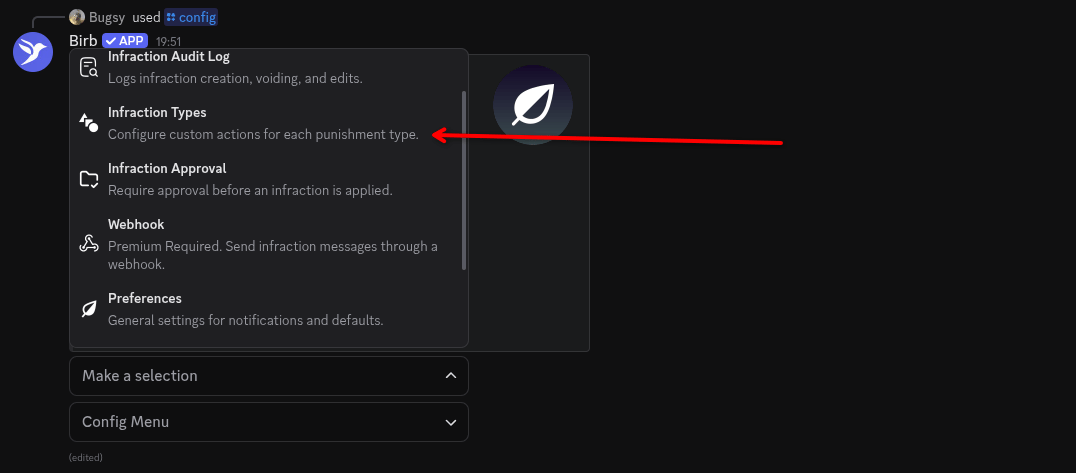 On the infractions settings page, press the \`Infraction Types\` button, this will bring up a menu.
 Click 'Add'!
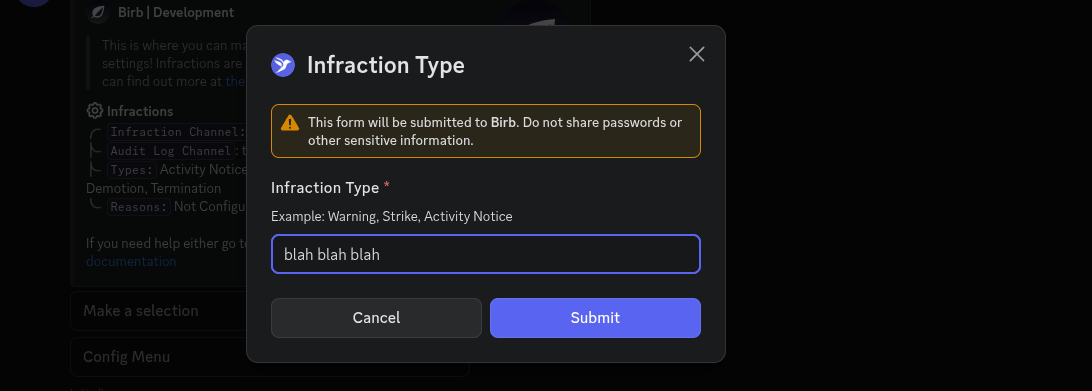 Name your infraction type.
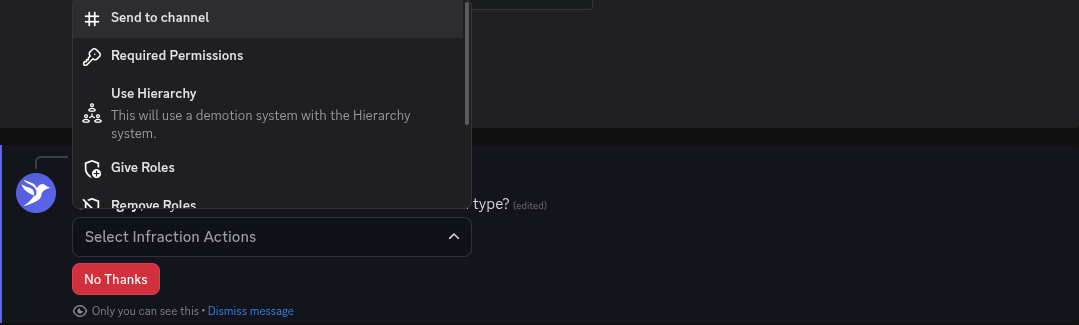 1. Send to channel: Deviates from your original set infraction channel.
2. Required Permissions: Elevates permissions for the type.
3. Use Hierarchy (PREMIUM): Requires the Hierarchy configuration, will allow for demotions with the Hierarchy feature.
4. Remove Roles: Using discord roles, it'll prompt a role dropdown. Any role selected in the configuration will be removed from a staff member.
5. Give Roles: Using discord roles, it'll prompt a role dropdown. Any role selected in the configuration will be given to the staff member.
6. Escalate: If the action hits a threshold of X, it'll escalate to another infraction type.
### Commands
| Command | Permissions | Purpose
1. Send to channel: Deviates from your original set infraction channel.
2. Required Permissions: Elevates permissions for the type.
3. Use Hierarchy (PREMIUM): Requires the Hierarchy configuration, will allow for demotions with the Hierarchy feature.
4. Remove Roles: Using discord roles, it'll prompt a role dropdown. Any role selected in the configuration will be removed from a staff member.
5. Give Roles: Using discord roles, it'll prompt a role dropdown. Any role selected in the configuration will be given to the staff member.
6. Escalate: If the action hits a threshold of X, it'll escalate to another infraction type.
### Commands
| Command | Permissions | Purpose
|
| -------------------- | ----------- | ----------------------------------------------------------------------------------------------------- |
| /infraction issue | Admin | This is how you infract people using the bot, currently the primary way of infracting people. |
| /infraction view | Admin | This allows you to view, manage & void infractions. |
| /infraction list | Admin | This allows you to list of infractions based on staff members or global & expired/voided infractions. |
| /infraction multiple | Admin | This is how you infract multi people at once using the bot. |
### Variables
| Variable | Value |
| ------------------ | ------------------------------------- |
| `{staff.name}` | The targets name. |
| `{staff.mention}` | The targets mention. (@User) |
| `{staff.avatar}` | The targets avatar. |
| `{author.mention}` | The authors mention. (@User) |
| `{author.avatar}` | The authors avatar. |
| `{author.name}` | The authors name. |
| `{action}` | The type of infraction that was used. |
| `{reason}` | The reason for the infraction. |
| `{notes}` | What was noted on the infraction. |